


The New Multitasking Standard: Best AI-Powered Copilot+ Business Laptops for 2026

The New Multitasking Standard: Best AI-Powered Copilot+ Business Laptops for 2026

The era of the “standard” laptop is over. In 2026, the benchmark for business computing is defined by the Copilot+ PC category—a new generation of hardware designed specifically to handle the demands of on-device artificial intelligence. For the professional who manages dozens of browser tabs, complex data workflows, and AI-assisted communication simultaneously, this shift represents the most significant leap in multitasking efficiency in a decade.

The Mechanics of NPU Multitasking

Historically, whenever you added a new “intelligent” feature to your workflow—like real-time transcription, background noise suppression, or predictive text—the CPU and GPU bore the brunt of the load. This resulted in system sluggishness and rapid battery drain.

Copilot+ PCs solve this by incorporating a dedicated NPU (Neural Processing Unit). By offloading these demanding AI tasks to the NPU, the CPU and GPU are freed to focus on what they do best: handling high-performance application rendering, data crunching, and responsiveness. …

The New Multitasking Standard: Best AI-Powered Copilot+ Business Laptops for 2026 Read More
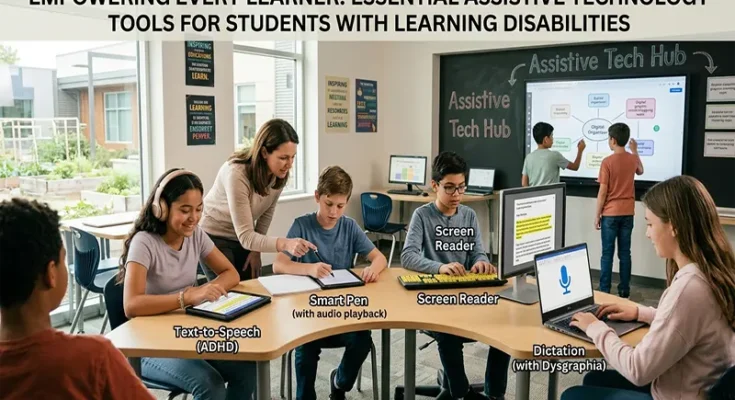
Empowering Every Learner: Essential Assistive Technology Tools for Students with Learning Disabilities

Empowering Every Learner: Essential Assistive Technology Tools for Students with Learning Disabilities

In the modern classroom, the goal of education is not simply to deliver a standardized curriculum, but to unlock the potential of every unique mind. For students with learning disabilities—such as dyslexia, dysgraphia, or executive function challenges—traditional educational materials can sometimes act as barriers rather than bridges. Assistive Technology (AT) serves to dismantle these barriers. When we integrate the right digital tools, we stop asking students to work harder to overcome a format and instead empower them to focus on the content, demonstrating their true intelligence, creativity, and capability.

Categorizing the Toolbox

To effectively implement AT, it is helpful to categorize tools based on the specific barriers they address, rather than the student’s diagnosis.

  • Reading Support: For students with dyslexia or visual processing differences, reading can be an exhausting endeavor that prevents them from engaging with complex ideas. Tools like Immersive Reader (integrated into Microsoft 365) and dedicated apps like
Empowering Every Learner: Essential Assistive Technology Tools for Students with Learning Disabilities Read More